Let Muse show you how unified museum technology should feel. Book a Demo
Running a modern museum means balancing complicated back-office logistics with great visitor experiences, including daily activities such as scanning tickets, processing renewals, stewarding donors, and running your gift shop. But when you use separate software for each task, you create extra work for your team and a disjointed experience for your guests.
Bringing your operations into a central management platform that connects with the accounting and marketing tools you already use gives everyone on your team the information they need. Here’s a look at 11 top museum software tools to keep your organization running smoothly.
Frequently asked questions about museum software
What is museum software?
Museum software is the central operational hub for your institution. It replaces manual tasks and disconnected software with simple systems to help your staff manage guest services and administration.
The key to getting the most out of yourmuseum tools is to find a system that handles all of these tasks in a single platform. This structure saves your team the headache of jumping between solutions and helps data flow freely across your museum so everyone’s on the same page. We’ll review the best unified solution for museums later.
Why is museum management software important?
Coordinating different departments while giving visitors a smooth experience takes real effort. Outdated tools and scattered spreadsheets slow your staff down, hide details in separate files, and make you miss revenue opportunities.
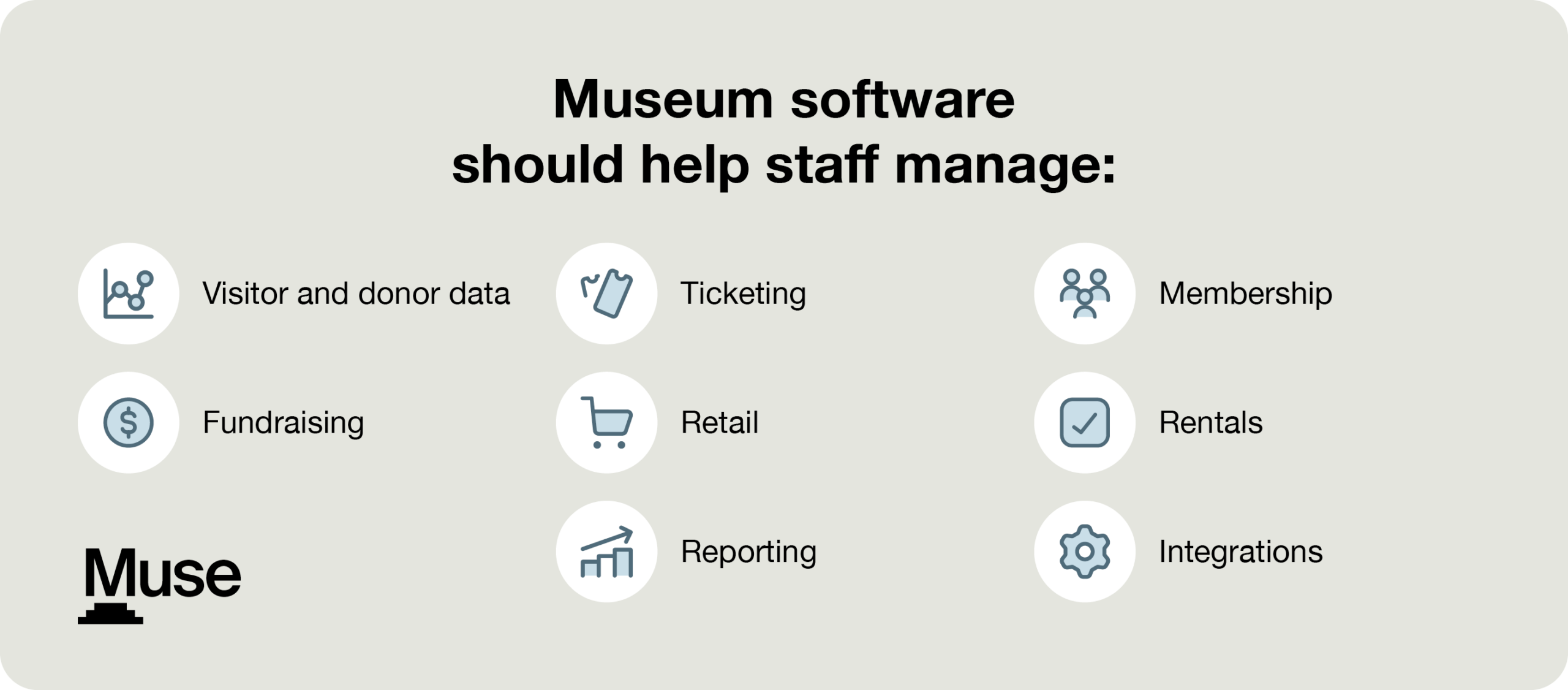
Upgrading to a dedicated management platform allows your organization to manage:
Visitor and donor data. By linking visitor, donor, and volunteer records into centralized profiles, your team avoids duplicate data entry and gains the full story behind every relationship’s history.
Ticketing. Responsive sales tools and handheld scanners keep lines moving at the front desk, getting guests into the galleries quickly while enforcing capacity limits.
Membership. Automated renewal schedules and digital wallet passes keep members engaged without adding administrative work.
Fundraising. Built-in tools give development staff the visibility needed to track constituent outreach, monitor active campaigns, and plan the next ask.
Retail. Gift shop transactions and café sales automatically calculate member discounts and update inventory levels across locations as purchases happen.
Rentals. Organize venue private events using shared calendars, digital contracts, and online deposit tracking.
Reporting. Live dashboards display daily attendance, total revenue, and campaign performance instantly for executive review and board meetings.
Integrations. Data flows straight into your existing accounting software and email marketing platforms thanks to pre-built, native connectors.
Whatever your specific needs, the right platform helps your museum run more efficiently and deliver a better visitor experience.
What features should we look for in museum software?
Look for a system that handles your current workload while leaving room to scale as your museum grows. When reviewing potential platforms, look for these core features:
Unified CRM. Combine visitor, donor, and member information in one place to get a full view of each person’s relationship with your museum.
Integrated ticketing and admissions. Use a single tool that handles general entry, timed passes, group bookings, and member check-ins.
Automated membership tools. Send members timely renewal reminders and digital wallet passes automatically, taking routine administrative upkeep off your plate.
Fundraising functionality. Track donor relationships, manage outreach, visualize campaign progress, and publish donation forms to deepen donor engagement.
Connected retail and venue management. Sync gift shop inventory, café sales, program sign-ups, and room bookings across locations.
Real-time reporting and analytics. Generate user-friendly reports that show daily attendance and revenue without requiring custom coding or extensive data knowledge.
Out-of-the-box integrations. Connect your main platform to your existing tech stack so data flows automatically.
Bring department heads together to list their essential requirements, then match them to specific features. Clear priorities help everyone evaluate vendor demonstrations objectively.
How to choose museum software
Selecting new software affects your museum’s day-to-day for years, so the evaluation deserves a real process. A standard evaluation process keeps your search organized and prevents surprises.
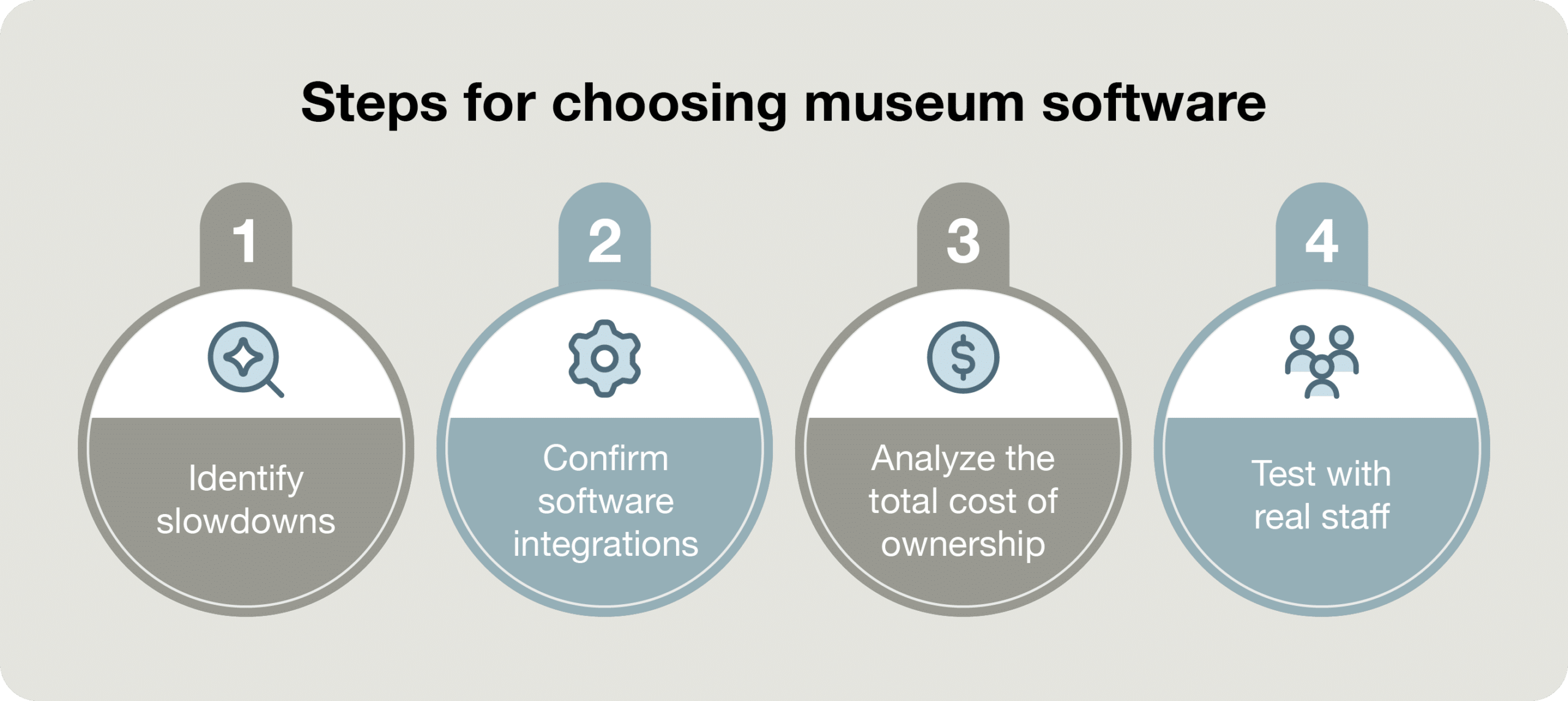
Use these practical steps to guide your vetting process:
Identify slowdowns. Ask team leads about what stalls their work, such as long check-in lines, missing contact details, or bulky monthly reporting.
Confirm software integrations. While ideally your system should be as centralized as possible, double-check that prospective tools sync cleanly with your add-on solutions for things like accounting and marketing.
Analyze the total cost of ownership. Ask for itemized pricing proposals to catch hidden fees.
Test with real staff. Invite a small group of relevant staff to attend product demos before committing to confirm that the features actually address your most pressing needs.
Don’t make this choice alone. Involve staff from admissions, fundraising, retail, and finance early so everyone feels comfortable on launch day.
Top 11 museum software platforms and tools
Top museum software overall: Muse
Muse is a cloud-based platform that replaces disconnected tools and legacy software with a single system for your daily operations.
Muse’s top features
Ticketing. Give your front desk and retail staff an efficient, effective sales POS that lets them speed up general entry, enforce capacity limits on timed passes, and instantly verify memberships.
Relationship management. Stop searching across multiple spreadsheets. Keep an electronic profile for every single visitor, donor, and member in one place.
Member retention. Engage members easily with automated renewal reminders sent on a set schedule. Members also have access to a self-service portal to customize their experience.
Fundraising. Fundraising requires a different approach than member retention or visitor acquisition. See campaign progress directly in the platform and use data to inform donor cultivation without paying for a standalone donor database.
Retail management. Run your café and gift shop with Muse, which automatically recognizes member discounts and updates your inventory in real time.
Event rental management. Shared calendars, digital contracts, and online deposit tracking keep event planning organized for your team and your rental clients.
Program administration. Muse makes it easy to create registration lists and waitlists, enforce age limits, and collect digital waivers online.
Reporting. Build board meeting materials with reports that show daily revenue and membership churn.
Integrations. Plug into the tools your team already relies on. Native connections pass data smoothly to QuickBooks, Mailchimp, Blackbaud Financial Edge NXT, and Constant Contact.
Why Muse is the top museum software solution
Muse stands out because it:
Combines visitor, member, and donor history. Other tools separate data about ticket buyers, gift shop shoppers, and members, which can hide valuable donor prospects. Muse records every interaction in a shared profile so development teams can act on every chance to build a relationship.
Flags opportunities early. Rather than generating basic historical reports, Muse flags expiring memberships before they lapse.
Is easy to use. No matter your level of tech knowledge, Muse is designed to be user-friendly. Once your team is onboarded, Muse’s design means new employees can learn it in hours instead of weeks.
Is built for cultural institutions. Muse natively handles niche industry needs such as reciprocal memberships, timed capacity limits, and linking member touchpoints (like gift shop and café purchases) with admission tickets and event attendance.
Supports long-term revenue. Checkout donation offers, ticketing membership upsells, and digital renewal sequences are built to turn one-time visitors into members and donors.
Has fast onboarding and all-in pricing. Muse is built to go live in weeks, not months. Plus, the platform’s all-inclusive pricing and data migration teams help you make decisions and go live faster.
Muse is what museum management tools should feel like. Connect all of your operations and give your team real-time visibility across the entire organization, all from one modern, user-friendly hub.
Blackbaud Financial Edge NXT is an enterprise fund accounting platform that helps museums maintain financial compliance.
Benefits:
Separate your funds. Keep restricted grants, endowments, and donor-designated funds neatly organized across separate ledgers.
Forecast your budgets. Give your finance department the workflows they need to predict expenses accurately and generate painless grant reimbursement reports.
Prepare for audits. Permission controls and internal audit trails keep your records ready for review.
Why it made the list: Blackbaud Financial Edge NXT handles the heavy lifting for institutions with complex financial structures. Plus, it integrates directly with Muse, so your finance team can see operational revenue and fund accounting side by side.
QuickBooks
⭐ Muse integration partner
QuickBooks is a general ledger platform for small to mid-sized museums that need operational accounting support.
Benefits:
Make data entry more efficient. QuickBooks automatically pulls daily ticketing and gift shop revenue into your general ledger instead of asking staff to rekey it.
Make payments on time. Manage bills, purchase orders, and vendor payments from one dashboard.
Create accessible financial reports. Quickly generate financial statements that make sense even to non-technical stakeholders.
Why it made the list: QuickBooks is a cost-effective accounting tool that keeps daily operational finances balanced without the administrative overhead. As a Muse integration, it funnels data into your general management system, helping your team understand your financial health contextually.
Top museum software solutions for email marketing
Constant Contact
⭐ Muse integration partner
Constant Contact is a user-friendly email marketing platform that helps museums promote upcoming exhibits, programs, community events, and more.
Benefits:
Sync outreach lists. Update your subscriber base from your core database.
Design for mobile. Constant Contact helps you reach members and visitors with mobile-friendly newsletters and event invites.
Watch live metrics. With Constant Contact’s reports, you can analyze your open rates and click-throughs in real time to learn which subject lines catch your audience’s attention.
Why it made the list: Constant Contact offers a reliable platform for marketing teams to design responsive email communications with minimal setup time or technical knowledge required. And, with its Muse integration, you can sync email outreach data directly with your CRM records to show how members and visitors are responding.
Mailchimp
⭐ Muse integration partner
Mailchimp is an email marketing platform that connects with CRMs to trigger targeted email campaigns based on visitor behavior.
Benefits:
Automate email sending. Set up Mailchimp once and let it quietly run in the background so members and donors hear from you on schedule.
Group audiences by behavior. If someone buys a specific exhibit ticket, that data can be sent from your CRM for relevant future follow-ups.
Design emails intuitively. Mailchimp’s layout builder is completely visual, meaning your team never has to write any code to create professional emails.
Why it made the list: Mailchimp empowers marketing teams to personalize email campaigns at scale, encouraging repeat visits and membership upgrades. Its Muse integration saves touchpoint information to each recipient’s profile, giving you the context you need to inform future outreach.
Top museum software for collections management
Gallery Systems
Gallery Systems is a collections management system designed for registrars, curators, and museum conservators.
Benefits:
Log every detail. Record everything from condition reports to physical gallery locations so curatorial staff never lose track of a piece’s history.
Manage shipping logistics. Gallery Systems’ dashboards help you manage collection loans, outgoing artwork, and complex insurance paperwork headache-free.
Share your catalog. Provide more value to visitors by publishing collection data directly to interactive gallery kiosks and public databases.
Why it made the list: Gallery Systems’ TMS Suite is built for museum needs and provides the detailed tracking workflows required for archival and conservation work while directly enhancing visitor experience.
Top museum software for volunteer and docent management
Volgistics
Volgistics is a management tool built for shift scheduling and hour tracking for volunteers and docents.
Benefits:
Free up staff time. Volgistics’ self-service platform allows volunteers to sign up for shifts and record their own hours without staff intervention.
Drive volunteer attendance. Automatically send texts and emails to remind volunteers about upcoming shifts for busy visiting hours.
Build useful reports. Volunteer data is a few clicks away when you are planning coverage or writing a grant application.
Why it made the list: Volgistics’ self-service platform makes it easy for volunteers to engage and for staff to jump on opportunities to grow your community.
Top museum software for digital asset management
Canto
Canto is a cloud-based digital asset management (DAM) platform that helps marketing and curatorial teams organize, tag, and search high-resolution media files for online exhibits.
Benefits:
Tag photos automatically. Canto identifies colors and subjects automatically, applying tags so you find specific exhibit shots instantly.
Protect sensitive assets. Your team decides who can see or download specific files with strict access permissions.
Share media securely. Beyond exhibit management, Canto helps you create custom download links that allow media partners to access approved press kits as needed.
Why it made the list: Managing internal and external assets is a constant challenge for exhibit-focused institutions like museums. Canto turns a scattered media archive into an organized, searchable library.
Top museum software tools for visitor experience
ScreenCloud
ScreenCloud is a digital signage platform that lets museums run interactive digital content on screens.
Benefits:
Centralized display management. Update screens across lobbies, galleries, and cafes from a single desktop dashboard without on-site hardware maintenance.
Targeted on-site promotion. Increase gift shop sales, café visits, and sponsor visibility by placing eye-catching promotions for special exhibits and sponsors in high-traffic areas.
Hands-free content automation. Live event calendars, social feeds, and emergency alerts sync straight to your monitors, keeping information accurate without adding daily tasks to your team’s workload.
Why it made the list: In addition to adding value to your exhibits, ScreenCloud’s displays are an automated on-site marketing tool that turns physical space into an opportunity to drive secondary spending at your café, gift shop, and special events.
Smartify
Smartify is a mobile app that lets visitors access audio tours directly on their smartphones.
Benefits:
Earn revenue. Charge guests a few dollars to access premium audio guides, improving the visitor experience while generating revenue for your museum.
Multilingual accessibility. Visitors can access translated audio guides and text transcripts in their preferred language.
Use existing visitor hardware. Allowing visitors to use their own smartphones saves you from buying, charging, and sanitizing your tools.
Why it made the list: Smartify enriches gallery visits while opening a revenue stream through paid audio guides and digital membership prompts delivered directly to visitors’ devices.
Top museum software for visitor research
Qualtrics
Qualtrics is an audience research platform that helps museums collect and analyze visitor feedback.
Benefits:
Capture guest responses quickly. Collect responses using QR codes or lobby kiosks as guests leave so they can provide their opinions while they’re fresh.
Collect qualitative insights. Qualtrics captures and summarizes open-ended feedback to tell you how visitors feel about aspects of your museum, without having to manually read hundreds of comments.
Report on results. Visual reporting monitors your Net Promoter Score (NPS) and guest satisfaction metrics in real time.
Why it made the list: Qualtrics helps leadership identify and fix subtle experience flaws before those pain points lead to negative reviews, lost ticketing revenue, or lapsed memberships.
Choosing museum software works best when you build around a unified platform. Placing Muse at the center of your daily work connects ticketing, CRM, fundraising, memberships, programs, venue rentals, and point-of-sale data. Adding specialized tools for specific tasks lets every department work efficiently without fragmenting your data.